
01RECEIVING AN ORDER
Receiving an order from a customer
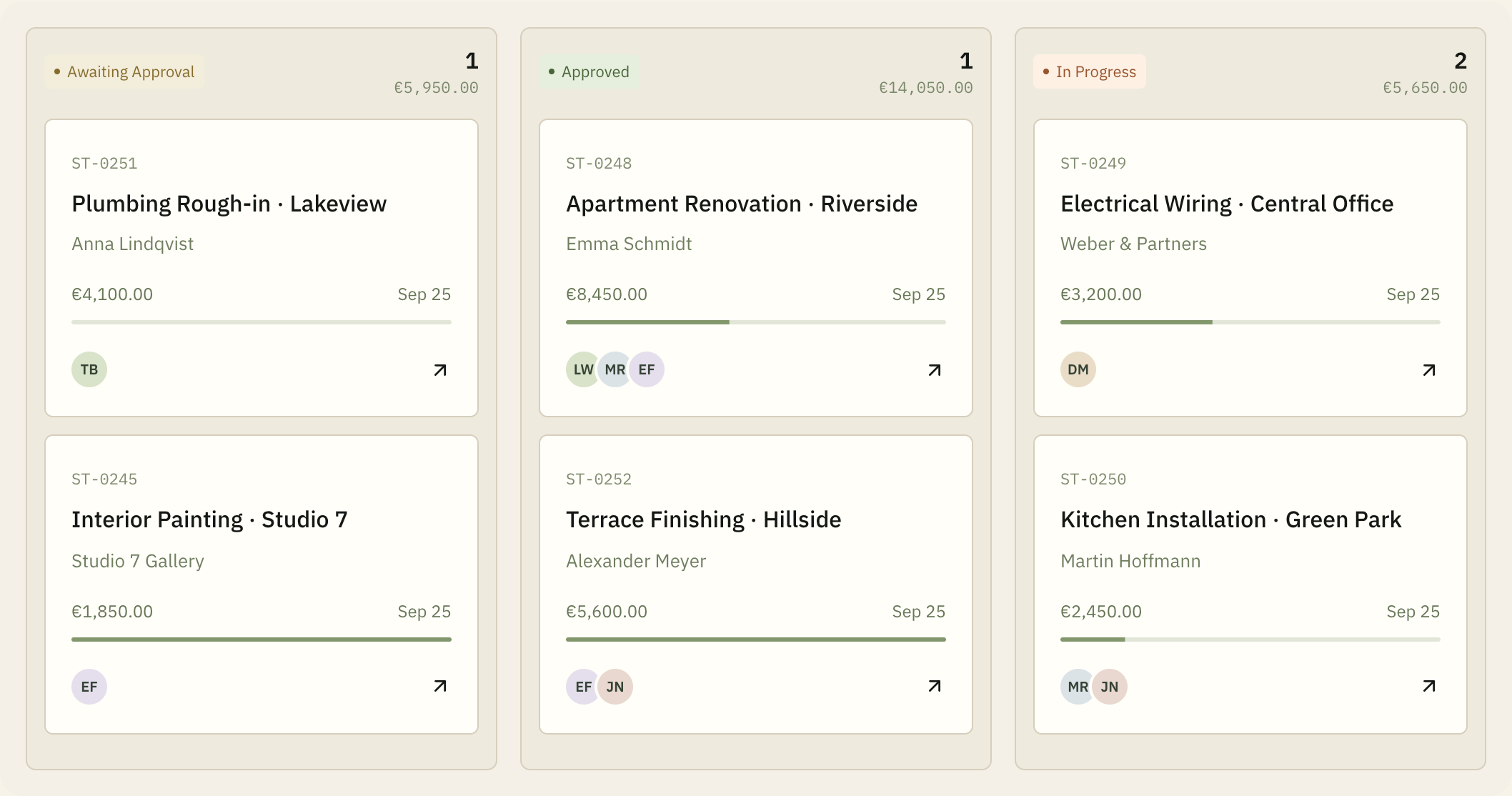
All incoming requests, approval statuses, and active sites on one neat board.
 CrewDaybook
Customer orders, online estimates, daily schedule of craftsmen, and financial accounting are combined into a single workspace for the construction team owner.
Free during open launch · Confirm your email after signup


FLOW Whole route of one order
All incoming requests, approval statuses, and active sites on one neat board.
Add the client and site first, then fill in the budget when ready.
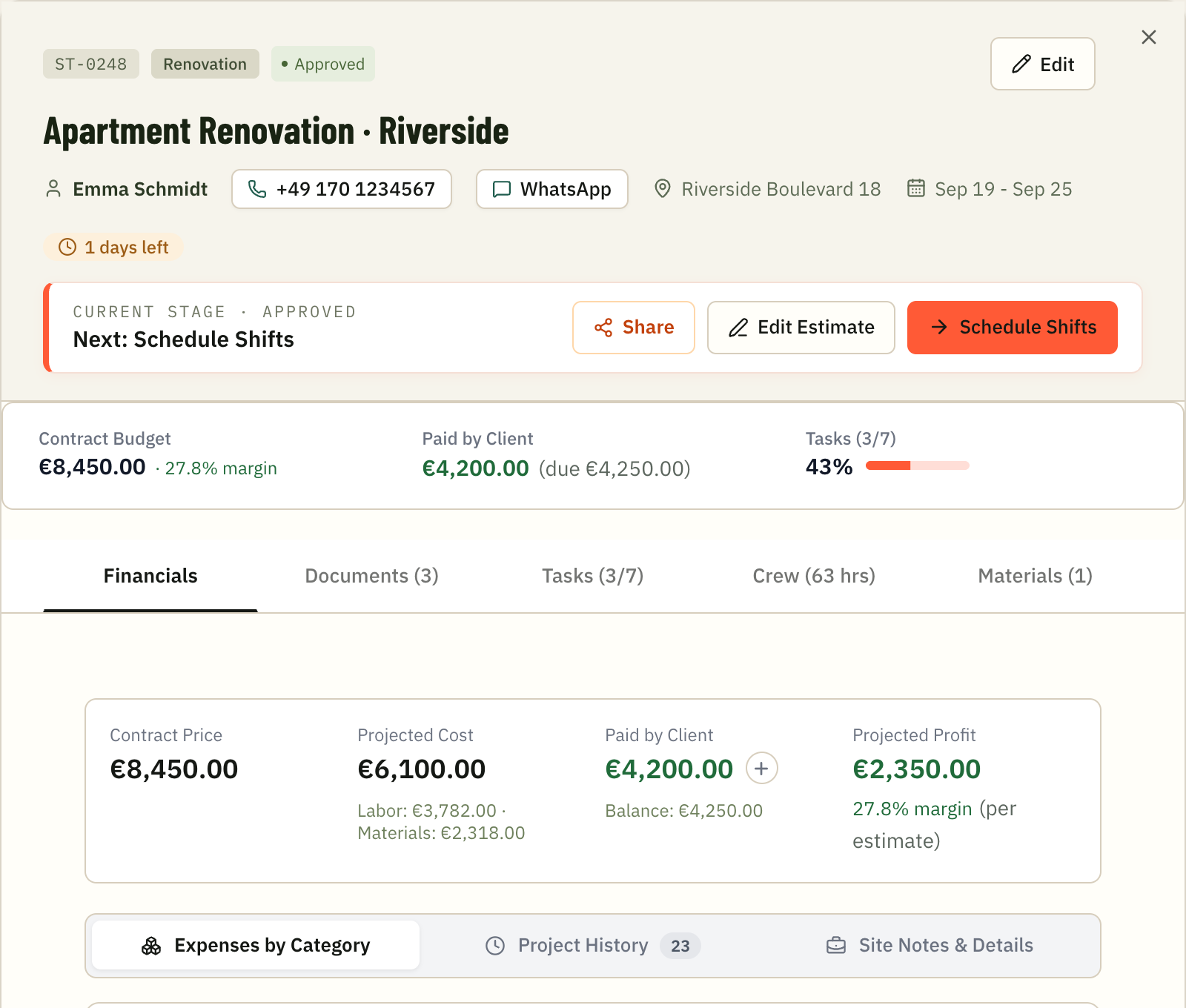
Transparent estimate with scopes of work, prices, and 1-click client approval via messenger or PDF.
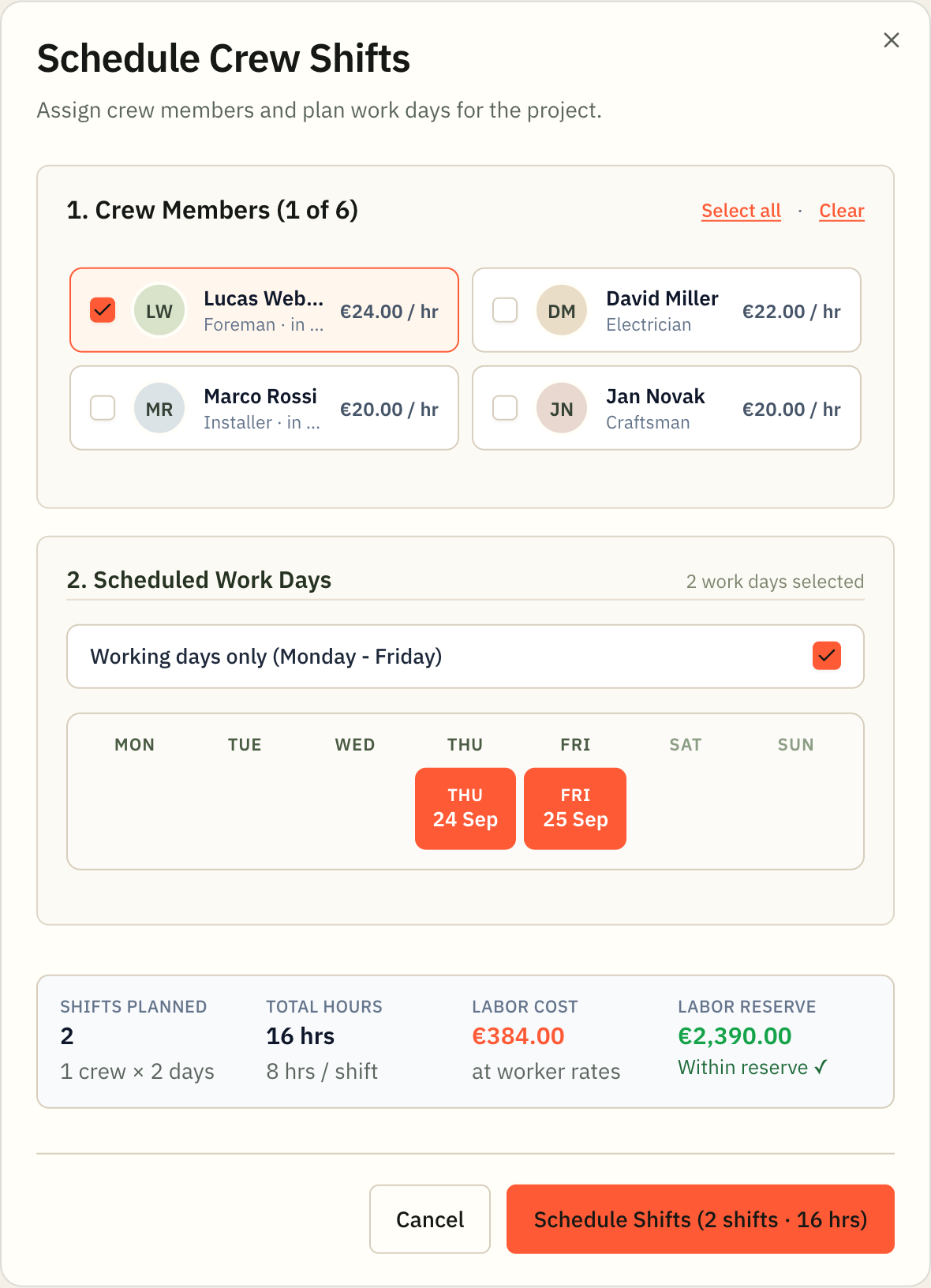
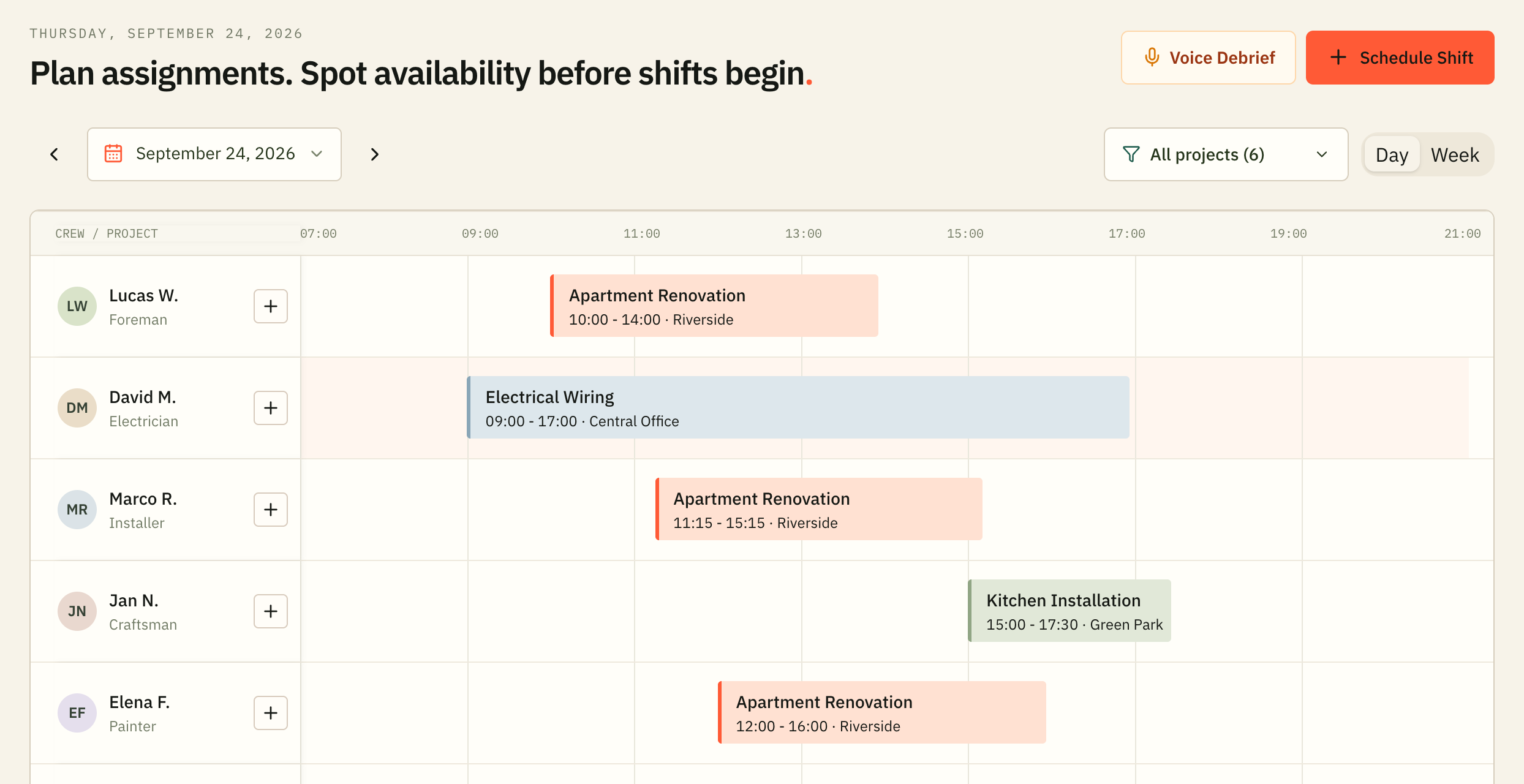
Choose craftsmen with pay rates and mark work days on the calendar without overlaps.
Track client payments, material costs by receipts, and see net profit from the site.
FAQ Briefly and to the point
For owners of construction, renovation, electrical, plumbing, and service teams.
The workspace is free during the current open launch. Public document generators are free without signup. Future subscription pricing has not been finalized.
After creating a workspace, add the client and site; budget and crew can come later. Clients open estimates via a direct link without signing up.